Monitoring your cardiovascular health is a critical component of any serious fitness and longevity strategy, yet the confusion surrounding wearable technology often leaves many of us guessing rather than acting. In this guide, I will cut through the tech jargon to explain exactly what your Apple Watch can and cannot do, ensuring you know how to leverage your device effectively while relying on proven methods for accurate health tracking. You will learn how to interpret the data you have, manage your expectations, and properly prepare your health routine for the best possible outcomes.
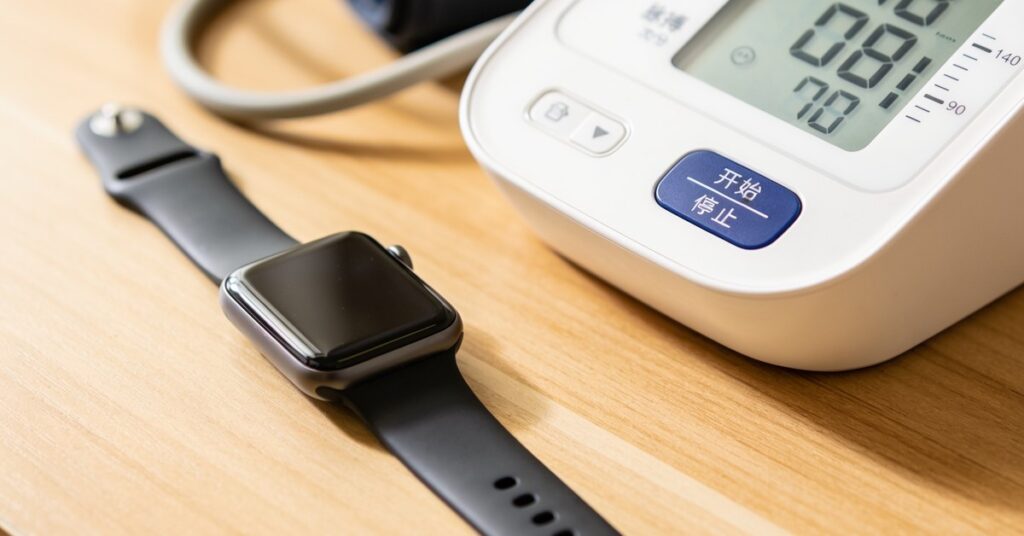
The short answer to the question, Can Apple Watch Measure Blood Pressure, is no: the device cannot currently measure your blood pressure directly by providing standard systolic and diastolic numerical results. While the device is a powerhouse for tracking heart rate and activity, it lacks the hardware—specifically the inflatable cuff—required to physically measure the pressure of blood against your artery walls. Any claims suggesting otherwise are misleading; you must rely on validated medical equipment for precise, clinical blood pressure readings.
Can Apple Watch measure blood pressure
Understanding Apple Watch blood pressure monitoring
Currently, the Apple Watch is not equipped to measure your blood pressure directly, meaning it cannot provide standard systolic or diastolic readings. It is essential to consult your medical professional for advice tailored to your specific health circumstances, as the information provided by wearable technology does not serve as a substitute for formal medical guidance.
How the feature functions
Supported devices, specifically the Series 9, 10, 11, and Ultra 2 or 3 models, utilise an optical PPG sensor to monitor vascular patterns associated with the heart over an extended period. Rather than providing an immediate blood pressure measurement, the watch functions as follows:
- It observes continuous heart data to identify patterns potentially linked to chronic hypertension.
- If the device detects a consistent pattern suggesting high blood pressure, it will issue a notification.
- Upon receiving an alert, users are advised to seek professional medical consultation and verify their health status using a traditional, cuff-based monitor.
Setting up hypertension notifications
Users can configure hypertension alerts directly via a paired iPhone by following the official Apple Support instructions. Furthermore, you have the option to manually input clinical blood pressure readings obtained from a standard arm cuff into your health records to maintain a comprehensive history of your cardiovascular vitals.
Limitations of modern monitoring
It is worth noting that the standard for measuring blood pressure has remained largely unchanged for over a hundred years. This established method involves using an inflatable cuff wrapped around the upper arm to assess pressure levels accurately. While technology evolves, optical sensors in watches are designed to assist in monitoring trends, but they do not replace the diagnostic accuracy provided by clinical cuff-based equipment.
The Truth About How Can Apple Watch Measure Blood Pressure
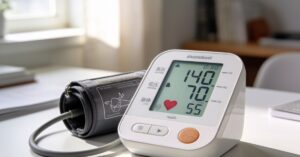
Direct blood pressure measurement is not a feature of any current Apple Watch model, as the device is designed to track heart rate and movement rather than perform clinical-grade vascular pressure analysis. Ever found yourself wondering if you can just ditch the bulky cuff for a sleek piece of wrist-tech? Most of us have, but the reality is that a traditional cuff works by compressing your arm to detect the exact moment blood flow is restricted, a mechanical process your watch simply cannot replicate.
| Feature | Apple Watch Capability | Standard Blood Pressure Cuff |
|---|---|---|
| Direct Measurement | No | Yes |
| Pattern Detection | Yes | No |
| Clinical Diagnosis | No | Yes |
Understanding Hypertension Notifications and Can Apple Watch Measure Blood Pressure
Hypertension notifications are a specialised feature available on the Apple Watch Series 9 or later and Apple Watch Ultra 2 or later, designed to alert users to potential patterns of chronic high blood pressure. This system functions by using the optical heart sensor to monitor your pulse data in the background, specifically looking for irregularities or trends that might suggest a cardiovascular issue. It does not replace a doctor’s visit, but it serves as a smart early-warning system for those who might otherwise be unaware of their health trends.
How the Feature Works
The system operates by analysing your heart data over a 30-day evaluation period to identify consistent patterns rather than snapshot readings. To enable this, you must be at least 22 years old, and the feature remains unavailable to those already diagnosed with hypertension or users who are currently pregnant. By using the watch’s optical heart sensor to detect these specific patterns, the device creates a baseline of your cardiovascular behaviour over time.
Essential Requirements for Activation
To successfully activate hypertension notifications, you must ensure your setup meets specific technical criteria. Follow these steps to get your device correctly configured:
- Ensure you are using an iPhone 11 or later running the latest version of iOS.
- Verify that Wrist Detection is turned on in your watch settings.
- Open the Health app on your iPhone.
- Navigate to your Profile and select the Health Checklist to enable the feature.
Effective Ways to Track Your Blood Pressure
You can effectively track your blood pressure by syncing Bluetooth-enabled third-party monitors directly to the Apple Health app on your iPhone. Since the watch itself cannot provide the numbers, the most reliable approach is to use a clinically validated arm cuff and allow it to feed that data into your digital health ecosystem. Dealing with the nuances of health data can feel like a chore, but setting up an automated sync is a one-time effort that pays dividends for your long-term cardiovascular health.
Recommended Tools and Integrations
There are several high-quality devices that sync seamlessly with your Apple Health profile. If you receive a hypertension notification from your watch, it is standard practice to use one of these devices to track your measurements consistently for seven days:
- QardioArm Wireless Blood Pressure Monitor
- Withings BPM Connect Wi-Fi Smart Monitor
- Omron Evolv Wireless Blood Pressure Monitor
- iHealth Feel Wireless Arm Blood Pressure Monitor
Accuracy and Clinical Context for Can Apple Watch Measure Blood Pressure
The hypertension notification feature possesses a specificity of 92% to 92.3%, meaning it is highly effective at identifying the absence of hypertension, though its sensitivity is limited to 41%. Tested on a cohort of nearly 4,000 people, these figures suggest that the watch is a useful tool for screening, but it is not intended to diagnose or treat medical conditions. Important: Always treat these notifications as a prompt to consult a professional rather than as a definitive medical diagnosis.
Best Apps for Cardiovascular Monitoring
Several third-party applications can help you manage your cardiovascular data, such as the SmartBP app, which allows for robust logging, monitoring, and the sharing of detailed reports via your watch. While the watch does not perform the measurement, apps like Qardio enable you to take readings through their hardware without even needing your iPhone nearby. Other tools, including the Apple Health and Cardilog integration or the BreathNow app, assist in maintaining a holistic view of your heart health and stress management habits.
The Future of Wearable Cardiovascular Monitoring
The future of blood pressure monitoring is likely to involve advanced photoplethysmography (PPG) hardware that utilises green and red/infrared LEDs to analyse pulse waves. As reported by Mark Gurman on 20 January 2025, upcoming models like the Apple Watch Series 11 and Watch Ultra 3 are expected to integrate this technology to detect patterns of chronic high blood pressure. Currently supported in 150 countries, this evolution will eventually shift the device from a pattern-detection tool to a more proactive health monitor, using artificial intelligence to provide deeper insights into your vascular condition.
Frequently Asked Questions
Does the Apple Watch store blood pressure history?
The watch itself does not store blood pressure data because it cannot measure it; however, the Apple Health app stores all data synced from your compatible third-party Bluetooth devices.
What should I do if I get a hypertension notification?
You should follow the system prompt to use a clinically validated arm cuff for seven days to gather consistent manual measurements, then share these logs with your GP for a professional assessment.
Can I use the hypertension feature if I have a heart condition?
The feature is not intended for users already diagnosed with chronic hypertension or other specific cardiovascular conditions, so you must consult your doctor before relying on any watch-based alerts.
How does the watch detect hypertension patterns?
It uses an optical heart sensor to perform pulse wave analysis over a 30-day period, looking for subtle changes in heart rhythm and circulation patterns that correlate with high blood pressure.
While your watch is a brilliant tool for identifying long-term patterns, always rely on a validated medical cuff for the precise, actionable data you need to manage your health safely. You are doing a great job by staying proactive, so keep using those wearables as a helpful guide while keeping your doctor in the loop for the final say.